

See the whole business from one clear starting point.
Choose and arrange the dashboard signals that matter, open the record behind a number and move into sales, purchasing, inventory, work, attendance or accounting without losing context.
Everything about Overview
Jump to a section or scroll through the workflows and product details. Desktop images use fictional demo data.
Overview
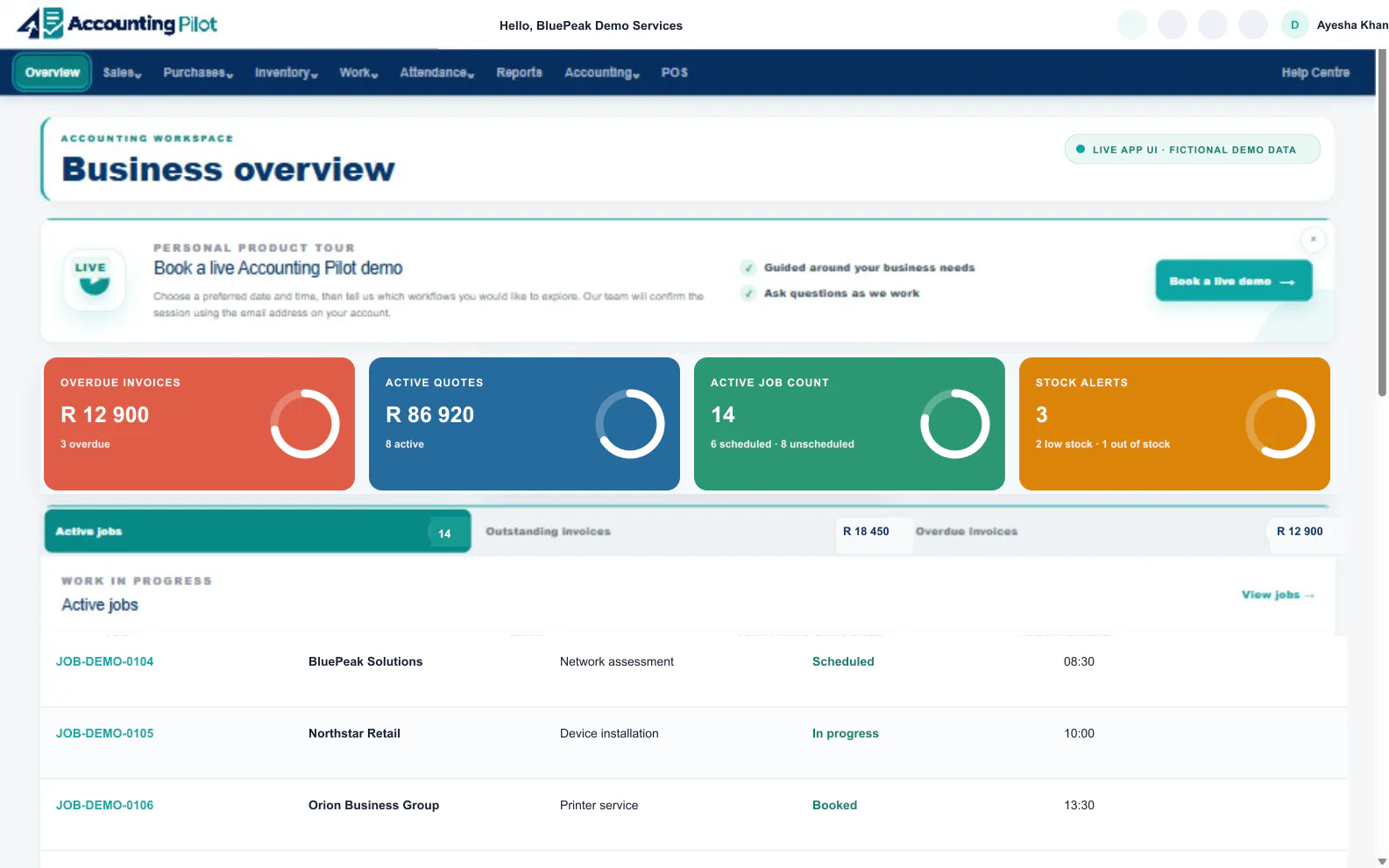
Bring sales, purchasing, stock, work, attendance and accounting into one operating picture, then open the record behind any number that needs attention.
One connected starting point
The Overview keeps current totals, urgent work and quick actions together without replacing the detailed registers behind them.
What your team can do
- Track overdue invoices, active quotes, active jobs and stock value.
- Choose and reorder dashboard blocks so the daily view fits your business.
- Open live demo booking, notifications and quick-create actions.
- Use the grouped navigation to move between current workspaces.
Attention first
See overdue invoices, open quotes, active jobs, appointments and stock warnings before they are missed.
Your dashboard
Choose which dashboard blocks your business uses, arrange their order and keep the most useful signals first.
Quick actions
Start common customer and work actions directly from the daily overview.
Connected records
Move from a headline number to its invoice, quote, job, customer or stock record.
Scan the picture
Review today’s commercial and operational position.
Open the detail
Follow the item into the workspace that owns it.
Take action
Update the connected record and keep the wider picture current.
Explore overview with your own business records.
Invite one teammate and try the connected workflow with no payment card required.